

Best Budget Smartphones 2026: The Picks That Don’t Waste Your Money
I’ve been using this thing long enough that the honeymoon period is over—and that’s when the real review starts. Except this time “this thing” is the entire budget-phone market, viewed through the least romantic lens possible: rent, bills, and a commute where your phone is your MetroCard, your camera, and your “please don’t die at 4%” lifeline.
My promise is simple: we’re separating cheap from false economy. A $179 phone that gets security updates for years can be a better deal than a $399 phone that’s abandoned in 18 months.
Key Takeaways
Shop by price band, not “best overall” vibes. Engadget’s idea of budget is roughly $150–$350 (Engadget), while Tom’s Guide stretches “cheap” up to $600 (Tom’s Guide). Those can’t all be the same list.
Software support is the hidden cost. Battery life isn’t just mAh. Camera claims need context (especially the “macro” nonsense). Refurb can beat new at the same price—if you’re picky about battery health and returns.
What “Budget” Means in 2026 (and the price bands that actually help you shop)
Most guides quietly change the definition of “budget” depending on what they want to recommend. I’d rather be explicit.
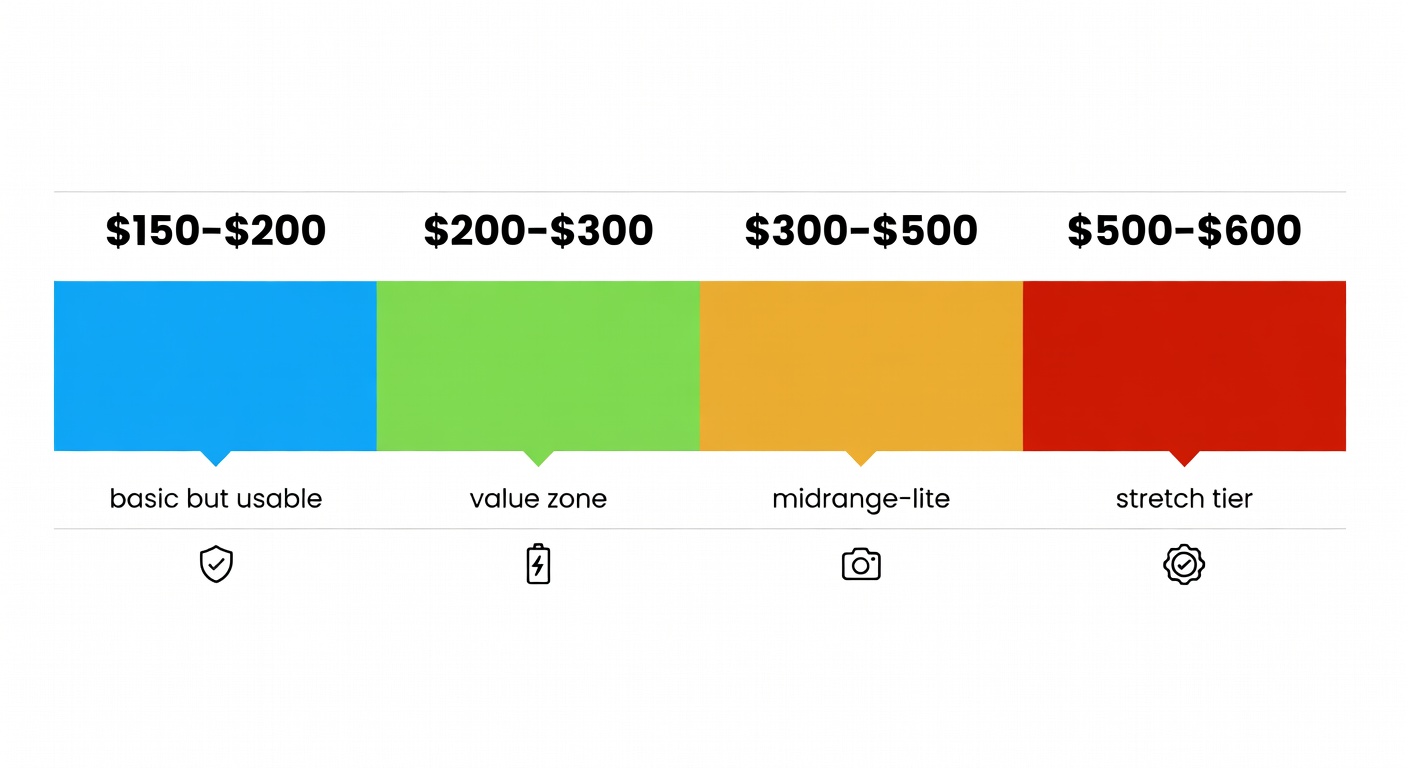
Here are the bands that actually help you make a buying decision:
- $150–$200: basic but usable — aligns with Engadget’s lower end (Engadget)
- $200–$300: the real value zone for unlocked Androids
- $300–$500: “midrange-lite” where screens/cameras stop feeling like compromises
- $500–$600: the “stretch” tier Tom’s Guide still calls affordable (Tom’s Guide)—but it’s not what most people mean by budget
Callout: If your max is $300, skip any list that starts at $500. You’re not being “disciplined.” You’re being upsold.
Worth it? It depends on one detail: how long you plan to keep it.
The two budgets: upfront price vs. “how long it stays good”
Upfront price is easy. The long budget is where people get burned.
A phone that gets consistent updates stays safer, runs newer apps longer, and tends to feel less crusty in year 3. Engadget calls out the Galaxy A16 5G with six years of promised software support (Engadget). That’s the difference between “cheap” and “replaceable.”
My short list: the best budget smartphones by use-case (not vibes)
I’m not doing the thing where every phone is “great for anyone.” They aren’t. Pick the phone that matches your tolerance for friction.
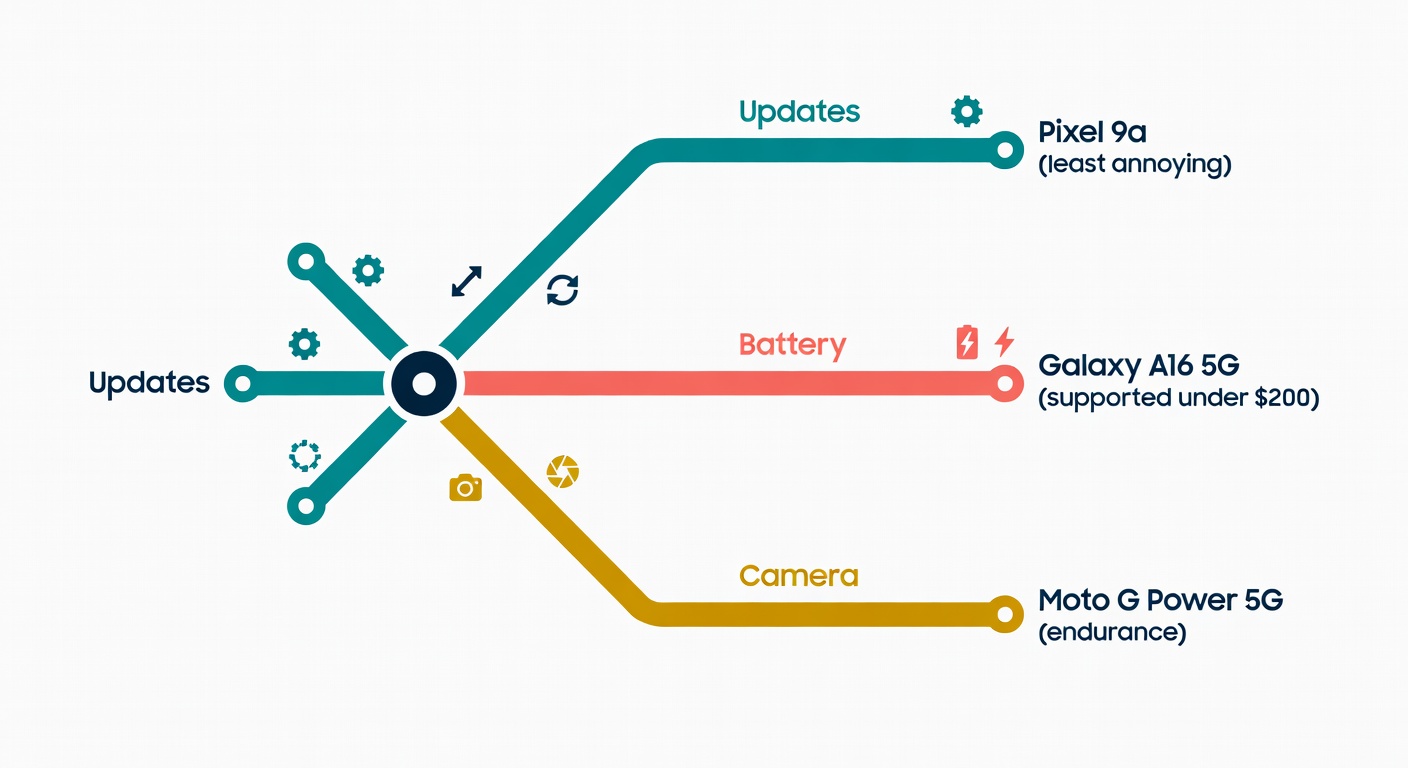
Best overall under $500: Google Pixel 9a (for people who want the least annoying phone)
Tom’s Guide’s top cheap-phone pick is the Google Pixel 9a, kept under $500 (Tom’s Guide). Buyer-relevant bits: 6.3-inch display and a 48MP main camera (Tom’s Guide).
In real life (commute, mixed-light photos, QR payments, endless scrolling), it’s the kind of phone that stays out of your way: clean software, strong processing, and reliably good photos without babysitting. The catch: it’s not a zoom monster, and Tech Advisor flags slow charging on the Pixel 9a (Tech Advisor).
Decision rule: Buy the Pixel 9a if you want the smoothest daily-driver under $500. Skip it if fast charging or real telephoto zoom is non-negotiable.
Best under $200: Samsung Galaxy A16 5G (cheap, supported, and not a total compromise)
Engadget’s overall cheap Android pick is the Samsung Galaxy A16 5G, calling it tremendous value around $200 (Engadget). The reason it’s here: six years of promised software support (Engadget). PCMag also rates it as a top cheap-phone pick (PCMag).
The catch is refreshingly honest: Engadget notes Samsung didn’t really upgrade the camera package, and there’s no headphone jack (Engadget).
Decision rule: Buy it if you want the safest long-term bet under $200. Skip it if you’re picky about cameras or you need a headphone jack.
Best ‘looks expensive’ value: Nothing Phone 3a (if you can actually buy it where you live)
Tom’s Guide puts the Nothing Phone 3a at $379 and clocks 15 hours 24 minutes on their battery benchmark (Tom’s Guide). It’s also notable for having a dedicated telephoto lens in a sub-$400 phone (Tom’s Guide).
Now the annoying part: US availability can be weird—Tom’s Guide warns it’s only available through Nothing’s Beta program in the US (Tom’s Guide).
Decision rule: Buy it for the screen/battery/design (and that rare telephoto). Don’t buy it if you want boring, predictable warranty support.
Best battery-first cheap phone: Motorola Moto G Power 5G (2024) (when you just need it to last)
PCMag’s “Best Battery Life” cheap-phone pick is the Motorola Moto G Power 5G (2024) (PCMag). Battery champs stick around because the formula is boring and effective.
CNET’s broader point is the one to remember: battery life is influenced by capacity and efficiency (chip + software), not just the mAh number (CNET).
Decision rule: Buy it if you care more about endurance than photos. Skip it if camera quality is your main hobby.
How to choose: the 6 specs that matter (and the ones that are mostly marketing)
Before we get lost in specs, here’s what you’ll feel every day.
-
Update policy (non-negotiable)
Tom’s Guide calls out software updates as a differentiator, noting Samsung and Google tend to do better here (Tom’s Guide). If a brand won’t commit, assume you’re on your own. -
Display: brightness + refresh rate
Brightness beats “120Hz on paper” if you’re outside trying to read a boarding pass. -
Storage/RAM (avoid the pain)
PCMag’s baseline guidance: under $200, aim for at least 4GB RAM and 64GB storage, and don’t count on OS upgrades unless promised (PCMag). -
Charging (speed and predictability)
Fast charging only matters if it’s consistent and not locked behind weird cable/charger behavior. -
Camera system (lens mix > megapixels)
Ignore megapixel flexing. Extra macro lenses are often filler; PCMag says cheap-phone macro lenses are “almost always awful” (PCMag). -
Carrier compatibility + unlocked status
PCMag’s advice is blunt: check supported bands by model number, not just the phone name (PCMag).
Software support: the hidden cost (and why Samsung/Google keep winning here)
Long updates save you money.
Engadget highlights six years of software support on the Galaxy A16 5G (Engadget). Tom’s Guide also points to Samsung and Google having better upgrade policies than many cheaper Android options (Tom’s Guide).
In practice: you’re less likely to end up with a phone that’s slow, insecure, and stuck on an old Android version while your banking app starts giving you side-eye.
Battery life: mAh helps, but efficiency is the plot twist
CNET tested 35 phones and stresses that battery life depends on variables like screen brightness, signal strength, and—crucially—software and processor efficiency (CNET). Budget takeaway: don’t chase the biggest mAh number—chase proven endurance from reviewers who actually run battery tests.
Camera reality check: what you can expect under $300 vs under $500
Under $300, the main camera in daylight is usually fine. Night shots and motion are where you’ll see the seams. Ultra-wide and macro cameras are the usual casualties, and PCMag’s macro-lens warning is real life (PCMag).
Under $500, you start getting more consistent processing and better sensors. The Pixel 9a is the poster child for “specs don’t tell the story,” because Google’s processing tends to punch above the hardware (Tom’s Guide). If you want telephoto in this neighborhood, the Nothing Phone 3a is notable precisely because it’s rare (Tom’s Guide).
If you care about photos, pay for the main camera + stabilisation (and ignore most macro lenses)
Amateur Photographer’s budget camera phone guide leans on real reviews and sample shots (Amateur Photographer). Their Pixel 9a notes are the details that matter: OIS on the main camera and an ultrawide with autofocus that enables macro-style close-ups (Amateur Photographer).
That’s the hinge: stabilisation + processing on the main camera. Not a fourth “2MP macro” lens that exists to pad a bullet list.
New vs refurbished in 2026: when an older flagship beats a brand-new budget phone
There’s a world where a certified refurbished older flagship is the smarter buy—especially if you care about camera/video quality or just want a smoother phone.
The catch: battery wear is real. CNET’s advice is practical—if your phone is fine except battery life, consider a battery replacement instead of upgrading (CNET).
Decision rule: Refurb makes sense when you’re buying performance per dollar and you can verify condition. If you can’t verify condition, buy new and boring.
My refurbished checklist (so you don’t get burned)
- Return window + warranty: don’t accept “final sale” on a daily-driver
- Battery health: assume it’s a risk unless stated; price it in
- Unlocked status + bands: PCMag’s “check by model number” rule applies doubly here (PCMag)
- Update runway: don’t buy something already near end-of-support
- Water damage / corrosion indicators: if it smells like a gamble, it is
If you’re still on the fence, tell me your budget ceiling and your one non-negotiable (camera, battery, or updates). I’ll point you at the least annoying option.
Sources
- Engadget — The best cheap Android phones to buy in 2026
- Tom’s Guide — Best cheap phones 2026 tested
- PCMag — The Best Cheap Phones We’ve Tested for 2026
- CNET — We Put 35 Phones to the Test and Found the Ones With the Best Battery Life
- Amateur Photographer — The best budget camera phones in 2026
- Tech Advisor — Best Mid-Range Phone 2026



Leave a Reply