
Smart Home Devices for Beginners: A No-Regrets Starter Setup (and the Traps to Avoid)
I’ve tested enough of these to know the usual tricks. This one still managed to surprise me.
The surprise is how quickly “I just want a couple smart lights” turns into six apps, three accounts, and a light bulb asking for location permission like it’s trying to join my lease. If you’re in a small apartment (or any home where Wi‑Fi is already doing its best), you don’t need a hobby. You need an order-of-operations plan.
Pick your ecosystem first, make compatibility boring, then buy the first three devices that actually change daily life. PCMag and CNET both organise their recommendations by category/room and test in labs and real homes—useful, but beginners usually need a sequence, not a shopping cart dump (PCMag, CNET).
And yes, we’re going to talk about the traps. Because that’s where people get burned.
TL;DR — Quick Start Guide
- ✓ Choose your “home brain”: iPhone → Apple Home; Android → Google Home; mixed devices/bargain hunter energy → Alexa.
- ✓ Buy in this order: smart speaker/display → smart plug → smart light.
- ✓ Use Matter as a hedge: prefer Matter-certified devices when it’s easy, and verify on a certified list (source).
- ✓ Watch for hidden monthly costs: cameras/doorbells love paywalls (storage, “AI” alerts) (source).
- ✓ Avoid cloud-only for critical stuff: if your internet hiccups, you still want lights/locks to behave.
Key Takeaways
- Ecosystem first: pick one primary app/assistant (Alexa, Google Home, or Apple Home) before you buy anything else.
- Start with the no-regrets trio: smart speaker/display → smart plug → smart light.
- Matter is a compatibility hedge: helpful for avoiding lock-in, but not a guarantee every feature shows up everywhere (source).
- Subscriptions are the real “gotcha”: especially for cameras/doorbells—check what’s paywalled before the return window closes (source).
If you only do one thing: decide your ecosystem before you buy anything else.
Step 1: Pick Your “Home Brain” (Alexa vs Google Home vs Apple HomeKit) — and Don’t Overthink It
Most people don’t choose an ecosystem. Their phone does.
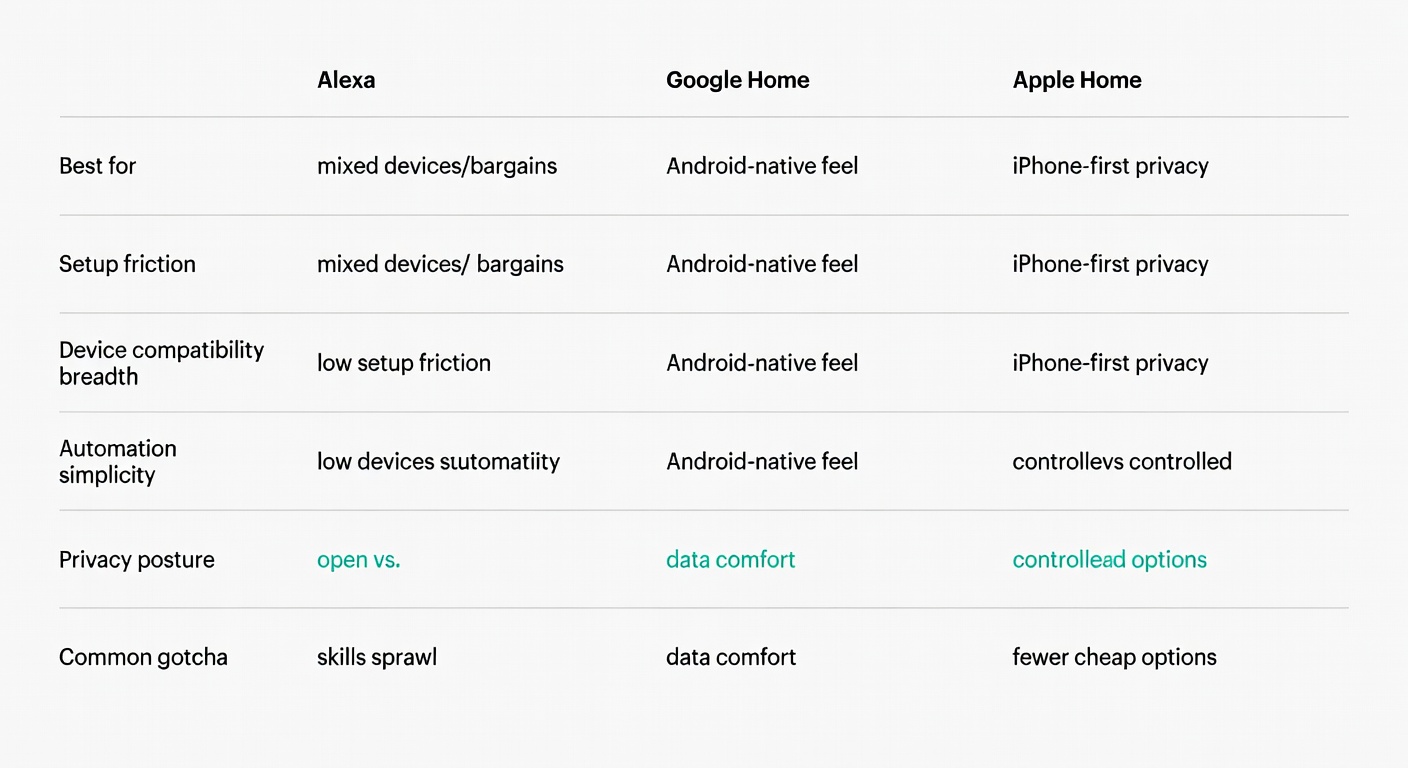
| Ecosystem at a glance | Alexa | Google Home | Apple Home |
|---|---|---|---|
| Best for | Mixed devices | Android users | iPhone users |
| Privacy posture | ⚠️ | ⚠️⚠️ | ✅✅ |
| Device support | ✅✅✅ | ✅✅ | ✅ |
| Setup friction | Low | Low | Medium |
- iPhone household? Apple Home is the cleanest default, and HomeKit’s security/privacy posture is a real differentiator (encrypted communication between Apple devices and HomeKit accessories) (How-To Geek).
- Android household? Google Home tends to feel the most “native,” and the assistant is strong—if you’re comfortable with Google’s data model (How-To Geek).
- Mixed devices / bargain hunter energy? Alexa usually has the broadest device support, but the skill system can be clunky. How-To Geek’s phrasing is blunt: “Alexa can’t do very much natively… almost all its smarts take the form of third-party skills” (How-To Geek).
“Alexa can’t do very much natively… almost all its smarts take the form of third-party skills.”
Mixing ecosystems works… until you try to automate. You can keep a stray Echo around and still run Apple Home (or Google Home) as primary, but you pay in mental overhead: “Which app do I use?” becomes the default question.
My beginner rule: pick one primary app/assistant for 90% of control. Let the other 10% be exceptions you can explain in one sentence.
Step 2: Compatibility Without the Headache (Matter, Thread, Zigbee, Wi‑Fi) — What Beginners Actually Need to Know
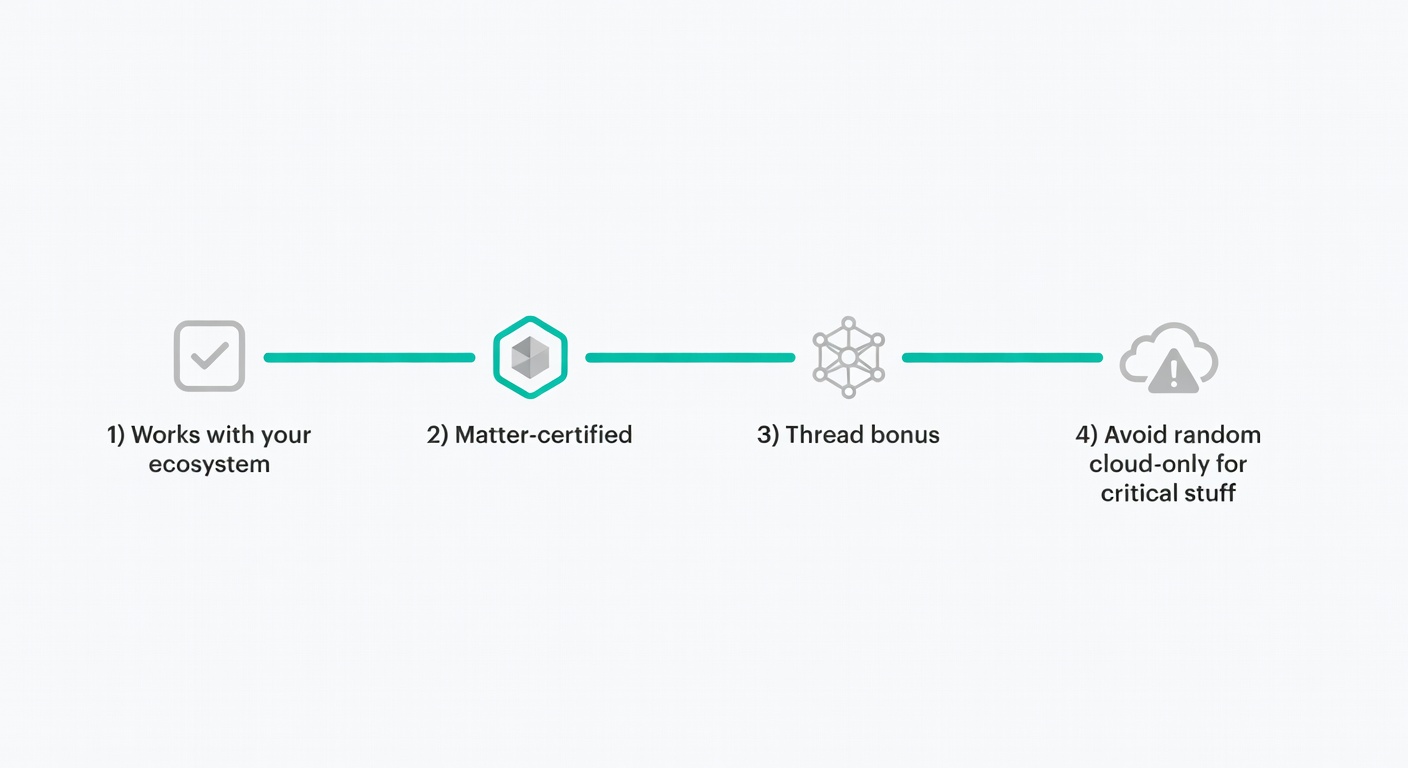
You don’t need protocol wars. You need a checklist that prevents “it should work” heartbreak.
| Question | Why it matters | Red flag |
|---|---|---|
| Works with my ecosystem? (Alexa/Google/Apple) | Prevents the “six apps” spiral and makes routines sane. | “Works with our app” (and nothing else). |
| Do I need a hub/bridge? | Hidden cost + another box to power, update, and troubleshoot. | Hub requirement buried in fine print. |
| Does it work if the internet is down? | Reliability beats cleverness for lights, locks, and “I’m tired” routines. | “Cloud required” for basic on/off. |
| Are subscriptions involved? | Monthly fees change the value math fast—especially cameras. | Storage/alerts/“AI” features locked behind a plan (source). |
| Matter-certified? | A practical hedge against lock-in; you can verify certification on a list (source). | Vague “Matter-ready soon” with no details. |
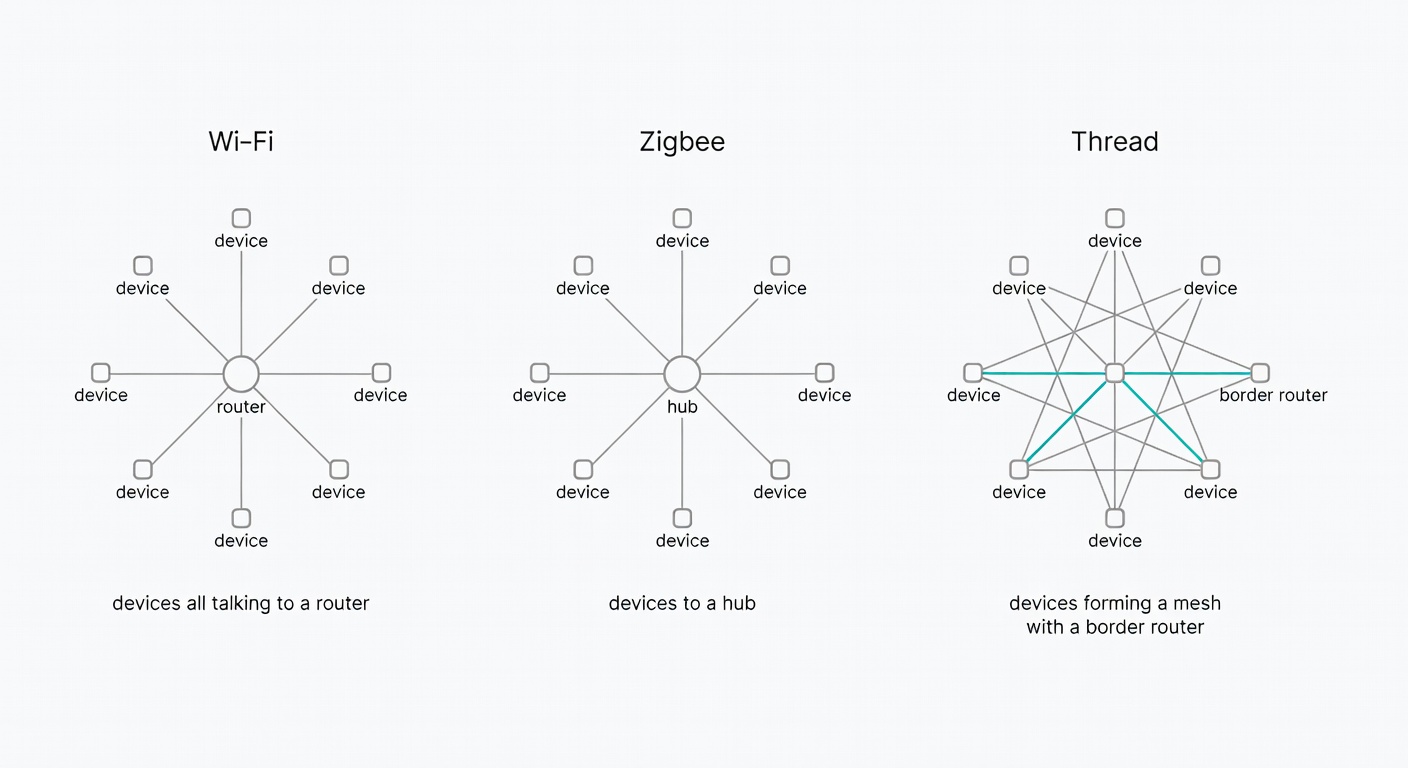
| Thread support? (bonus) | Often behaves better for low-power devices in real homes (mesh, less router drama). | Only 2.4GHz Wi‑Fi + flaky app + no local control. |
Matter is the practical piece: a cross-platform standard meant to reduce compatibility pain, with certified lists you can actually check. The Matter Smarthome database explicitly says: “The list contains only certified Matter products and Matter Bridges,” and as of its page it shows 803 entries and was “Last updated on February 9, 2026” (matter-smarthome.de).
One wrinkle: features still vary by platform. A device can be Matter-compatible and still expose different options in Apple Home vs Alexa vs Google Home. Use Matter as a filter, then confirm the specific feature you care about (dimming, colour scenes, energy monitoring, etc.) in your ecosystem.
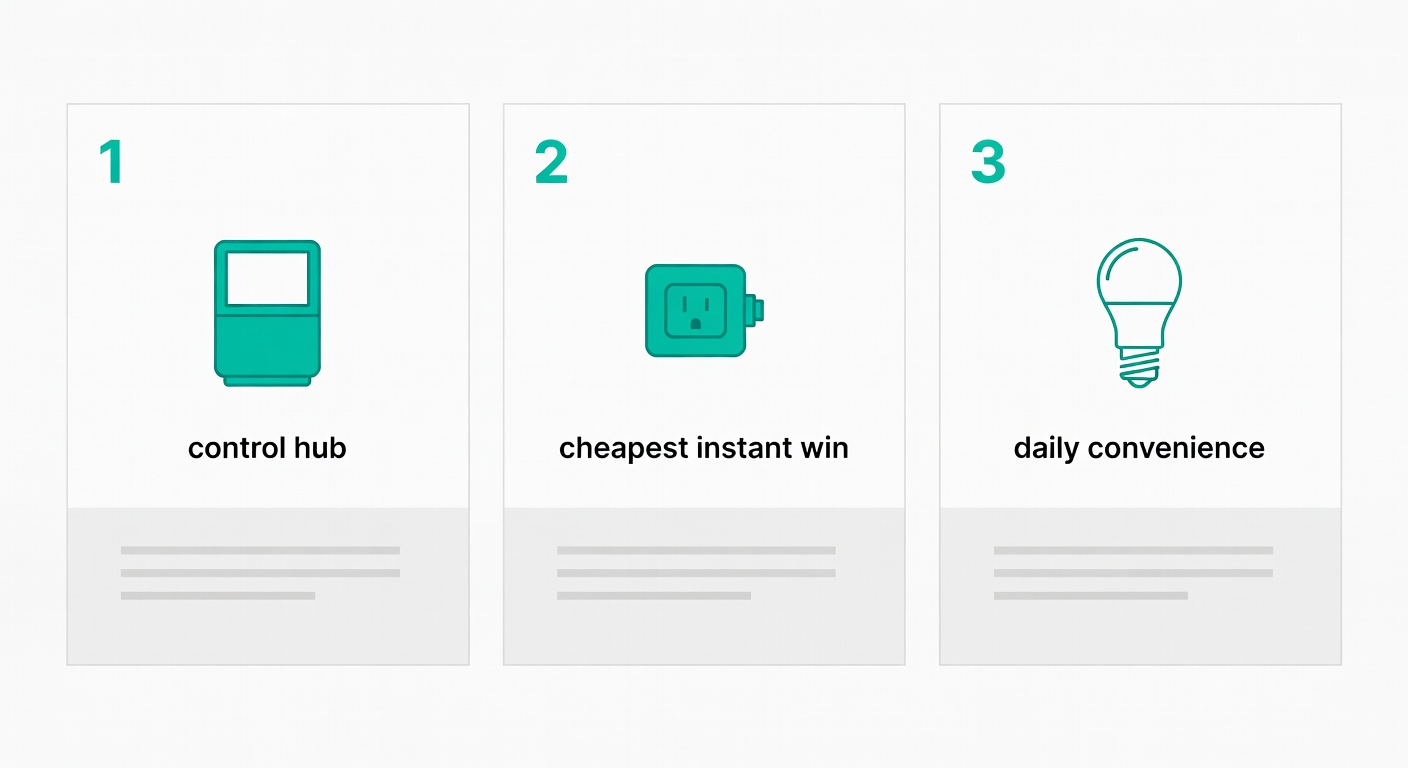
Your First 3 Devices (in Order): Smart Speaker/Display, Smart Plug, Smart Light
This is the no-regrets starter kit: not the fanciest, just the fastest route to “my home is genuinely easier to live in.”
1) Smart speaker (or display) = your control hub
PCMag’s framing matches real life: a smart speaker becomes a “central command center” for controlling other gadgets by voice (PCMag). Their starter examples:
- Alexa: Amazon Echo Dot Max (PCMag)
- Google: Nest Audio (PCMag)
- Apple/Siri: HomePod or HomePod mini (with the reminder to buy HomeKit or Matter-compatible devices) (PCMag)
CNET flags that Alexa Plus may cost $20/month if you aren’t a Prime subscriber—read the fine print (source).
2) Smart plug = the cheapest “I get it now” moment
PCMag highlights the TP-Link Kasa Smart Wi‑Fi Plug Slim as an Editors’ Choice and notes power monitoring plus broad platform support (PCMag). CNET’s pick is the TP-Link Kasa Smart Plug Mini, and it’s explicit about why plugs are the entry point: cheap, simple, and easy to understand—remote on/off power (CNET).
3) Smart light = convenience you notice daily
PCMag recommends the AiDot Linkind Wi‑Fi Matter Smart Light Bulb, calling out built-in Wi‑Fi, Matter support, and compatibility with Alexa/Google/HomeKit/SmartThings (PCMag). That’s exactly what you want as a beginner: fewer “will it work?” surprises.
Starter routine (the one you’ll actually use): “Goodnight” = turn off the plug + set the bulb warm/dim, then off.
Smart speakers vs smart displays: which is better for beginners?
Speaker is cheaper and simpler. A display is only worth it if you’ll use the screen.
PCMag’s case for displays is practical: voice control plus a touchscreen that can show live feeds from a doorbell/camera, do video calls, and act as a tap-friendly control panel (PCMag).
Smart lighting: bulbs vs switches (and the ‘don’t break the wall switch’ problem)
Nobody mentions this until it happens: smart bulbs get dumb when someone flips the wall switch off.
- Renters / lamps: bulbs are perfect.
- Overhead lights you always use: switches are usually cleaner long-term (but that’s a bigger install commitment).
If you live with other humans, plan for “someone will touch the switch.” Because they will.
Common Mistakes (and the Fixes)
Security and Safety: What’s Worth It First (and What Gets Expensive Fast)
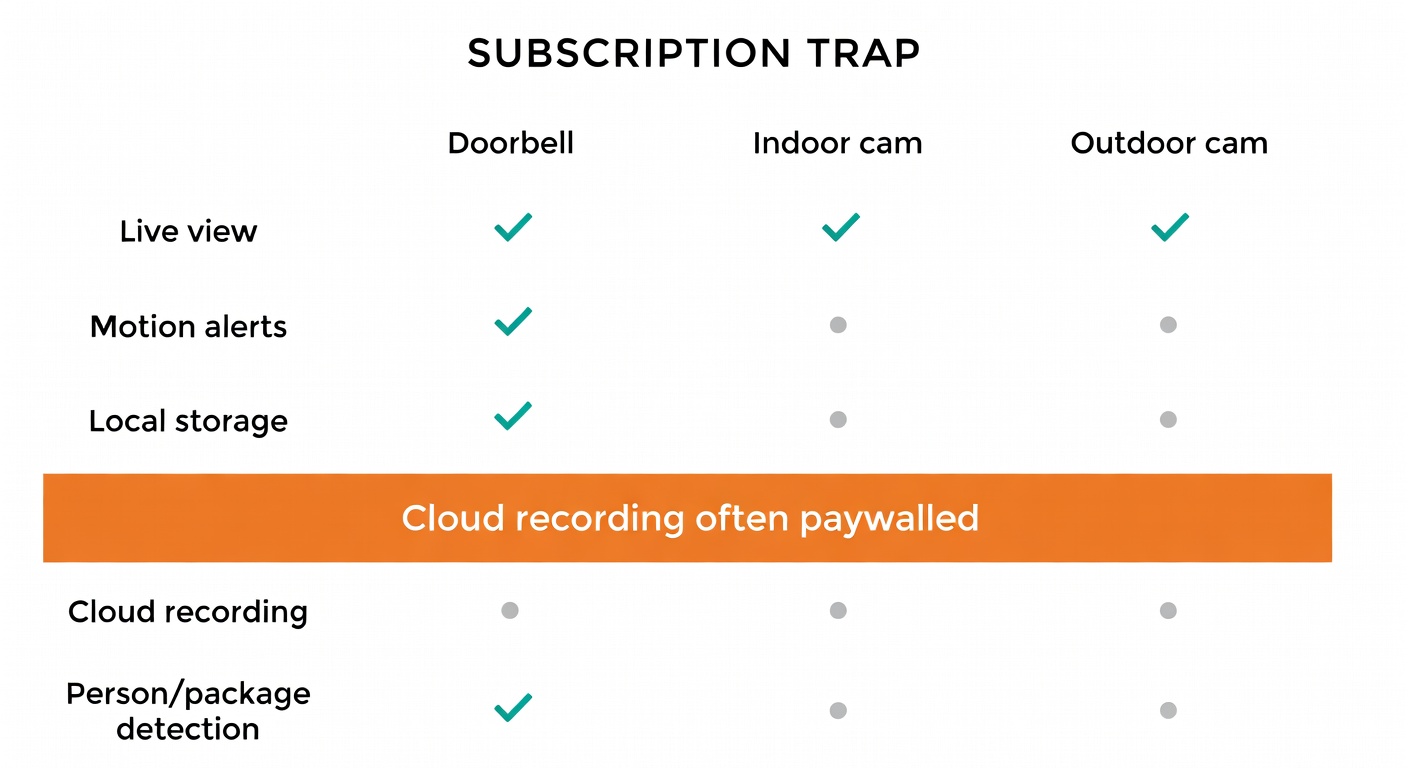
Security is where smart home spending goes from “fun” to “wait, monthly?”
PCMag’s picks give a decent map:
- Video doorbell: Arlo Video Doorbell (2nd gen), with clear HD/2K and a wide 180-degree field of view, wired or wireless setup (PCMag).
- Smart lock: Ultraloq Bolt Fingerprint, with HomeKit support and multiple entry methods (PCMag).
- DIY security system: SimpliSafe as a DIY option that avoids “a significant expense” and “a long-term contract” (PCMag).
Now, the subscription trap: CNET’s write-up of the Arlo Pro 6 calls out that it “needs an $8 subscription for full benefits” (Arlo Secure) to unlock cloud video storage and advanced AI options (source).
My recommendation for beginners: don’t start with cameras unless you have a specific problem to solve. Start with lighting and plugs first, then decide what you’re willing to pay monthly.
Hardware Changes Fast (Read This Before You Buy)
Smart home hardware (and pricing) changes quickly—sometimes faster than the reviews do. Before you check out, verify current ecosystem support, whether the device is Matter-certified (if that matters to you), and what ongoing costs apply (especially camera storage and “smart” alerts) (source, source).
The Beginner Automation Playbook: 5 Routines You’ll Actually Use
These are friction-killers, not science projects.
- Goodnight: turn off lights + turn off smart plugs + lock door (if you have a lock).
- Away: randomise a couple lights in the evening so your place looks occupied.
- Morning: lights to a gentle warm white + thermostat schedule (if you have one).
- Motion nightlight: hallway/bathroom light at very low brightness after bedtime.
- Camera motion → lights on: motion outside/at the door turns on an indoor lamp.
That last one sounds fancy, but PCMag notes the TP-Link Kasa Smart Wi‑Fi Power Strip HS300 supports IFTTT and can trigger outlets based on events “such as a camera motion trigger” (PCMag).
If a routine saves you 10 seconds every day, you’ll keep it. If it saves you 10 seconds once, you’ll forget it exists.
Buying Checklist (So You Don’t End Up With 6 Apps and Regret)
- Compatibility badge: Alexa / Google Home / HomeKit, and Matter if possible (matter-smarthome.de).
- Do you need a hub/bridge? If yes, is it included or extra?
- Local vs cloud dependency: what breaks if your internet is down?
- Subscription costs: storage, AI detection, “advanced” features—what’s paywalled? (source)
- Return policy: smart home gear is compatibility roulette. Protect yourself.
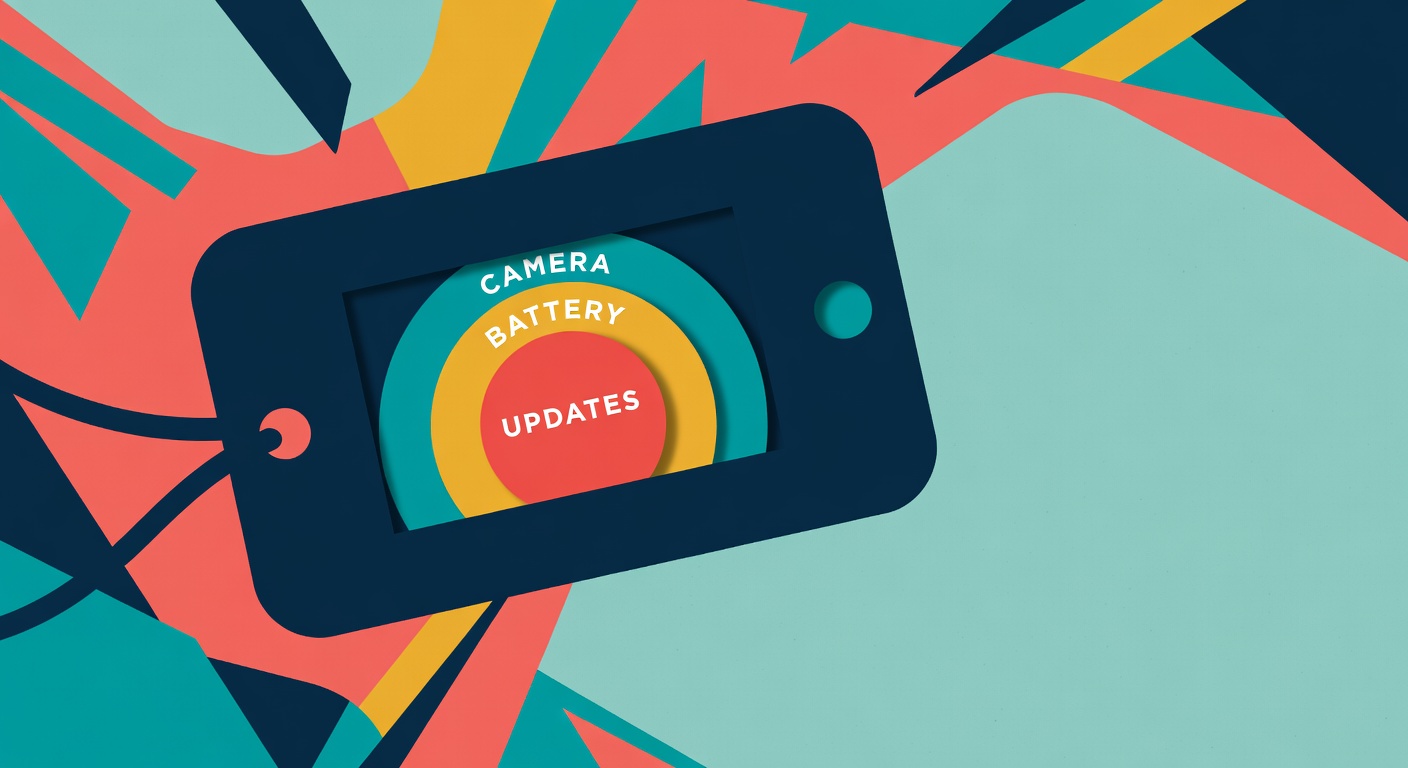
- Firmware/update expectations: assume behaviour can change after updates.
Sanity rule from my own patience budget: if it needs an account + subscription + always-on location for a light bulb, skip it.
Bottom Line: Start Small, Stay Compatible
Your first week: pick your ecosystem, set up one speaker, and make one lamp smart with a plug.
Your first month: add 2–3 lights you actually use, then build one routine you’ll trigger daily (Goodnight is the easiest win).
Your first year: expand only where you feel real friction—comfort, lighting, or security—and only after you’ve checked the ongoing costs.
The trap isn’t “spending too much.” It’s buying incompatible stuff you can’t control—and getting surprised by subscriptions after the return window closes.
What to Read Next
- Setting up your first routine
- Matter certification deep dive
- Best budget smart plugs under $15



Leave a Reply