Top Industrial LTE Routers Reviewed: Real-World Remote Deployment Fit Tests
Some later links are Amazon Associates. As an Amazon Associate, TelcoBlade earns from qualifying purchases. Live prices are on Amazon.
Operators often cut a purchase order for a top industrial lte router because the bezel says dual-SIM and IP67, before anyone names the WAN job. That is the wrong sequence, and it is why so many remote cabinets end up with a rugged box doing the wrong radio class. This tutorial replaces the logo hunt with a one-sitting fit-test sequence. Logos are optional after the fit tests.
Prerequisites
Before comparing any SKU, fill a worksheet with six columns.
- WAN job: portable carry-along kit, DIN-rail always-on, primary cellular, wired-primary plus cellular backup, or out-of-band management path.
- Radio and site constraints: signal at the cabinet, terrain, antenna type, APN.
- SIM, eSIM, carrier profile: dual-SIM behavior, bands, eSIM profile state.
- Failover detection method: what counts as a failed WAN.
- Remote access owner: L3 overlay, L2 path or jump box, customer lockout.
- Cabinet budget: thermal, PoE, spare Ethernet or serial headroom.
A missing row is a future truck roll. Do not skip it.
One supporting fact matters more than most datasheets here. A gateway or router that works on the bench can suffer heavy additional attenuation inside a steel cabinet; 15 dB shows up as a plausible site finding, not a universal rule. That is why the survey must happen at the actual install point, not the parking lot, and it is covered fully in the industrial IoT gateway fit test. Fill the worksheet before you look at a logo.
Checkpoint: You have a worksheet with all six columns filled enough that a vendor can quote against a labeled WAN job, not against a brand name.
Step 1: Failed Assumption: Shop Ruggedness, Cat Rating, and Logos First
The scene is structural. A plant engineer gets approval to add remote access to a compressor skid or a construction feed. The first search is “best industrial lte router.” The result page shows hardened boxes with IP67 enclosures, wide temperature ratings, and dual-SIM bezels. The order goes to the most impressive datasheet.
Then the integrator arrives and finds the site already has managed Ethernet for primary WAN. The cellular path was supposed to be out-of-band management. Or the panel lives behind a basalt ridge where no router will hold a useful uplink on any band. The plant now owns a very rugged device doing the wrong job.
A device can survive -40 C and still be the wrong class.
That is the search trap. Ruggedness is real, but it is the last filter, not the first. Cat ratings, temperature ranges, and IP ratings answer whether the hardware survives in the cabinet. They do not answer which WAN job the radio is doing, how failover is detected, or whether the remote-access architecture needs a jump box instead of a routed VPN.
Before a spec sheet, write the job label in one sentence. For example: “Cellular backup for a wired-primary cabinet; failover on probe failure; remote access via outbound VPN; engineering downloads run from a local jump box.” That sentence disqualifies most logo-list finalists, which is the point.
Checkpoint: You have a one-line WAN job label. If the label still says “just a rugged cellular router with dual-SIM,” stop and fill the prerequisites again.
Step 2: Label the WAN Job: Portable vs Panel, Primary vs Backup vs OOB
The hardware class splits on this question first. How to choose industrial cellular router starts with naming the deployment, not the radio generation.
Portable carry-along kit. You plug it into panel Ethernet for a temporary feed, commission the site, then leave it or move it. This is not a DIN-rail permanent. It needs strong mechanical tolerance for transport and a simple path to re-aim antennas each time it is moved. Keep the cellular WAN separate from any Wi-Fi AP duty on the same box whenever possible; do not force the LTE WAN box to also be the site Wi-Fi AP. The same collision logic appears in a different form on residential gear, and the smart-home Wi-Fi fix patterns show what happens when convenience roles stack on one radio. A temporary site Wi-Fi network should not become the remote-management path for the plant control LAN.
DIN-rail always-on. The router lives inside the cabinet permanently. It needs thermal headroom for sealed enclosures, connector strain relief, and a watchdog that can recover a hung radio without someone on site. This class answers “unattended for three years,” not “field laptop hotspot.” Consumer 4G that works in the truck is not cabinet class. Unattended pads need dual-watchdog plus reconnect-after-drop, not just a single link-loss watchdog.
Primary cellular. No wired path exists. The cellular uplink is the only production WAN. Then antenna design, carrier selection, and always-on tunnel behavior are not accessories. They are the design.
Wired-primary plus cellular backup. The site has fiber or DSL, but it is not trusted. Cellular is the fallback. Failover semantics matter more than radio speed here.
OOB management path. The fiber or DSL is the production WAN, but when it dies, you still need a side door into the cabinet to diagnose the production router and switch. This is out-of-band management, not backup internet. A separate low-bandwidth LTE path into the management plane is structurally different from a failover WAN carrying production traffic. Do not merge them.
Router versus gateway, in one sentence. A router moves IP packets between LAN and WAN; a gateway converts protocols like Modbus RTU to MQTT or OPC UA. If the site needs protocol conversion, that is a different fit test, covered in the industrial IoT gateway connectivity and security guide.
Dual-SIM printed on the bezel is not a job label. It is a hardware feature. The job label is whether cellular is primary, backup, or OOB, and whether the site is portable or panel. Label that first.
Checkpoint: You have one WAN job label from the four headings above, and you know whether the box is a router or a gateway.
Step 3: Radio and Site Fit
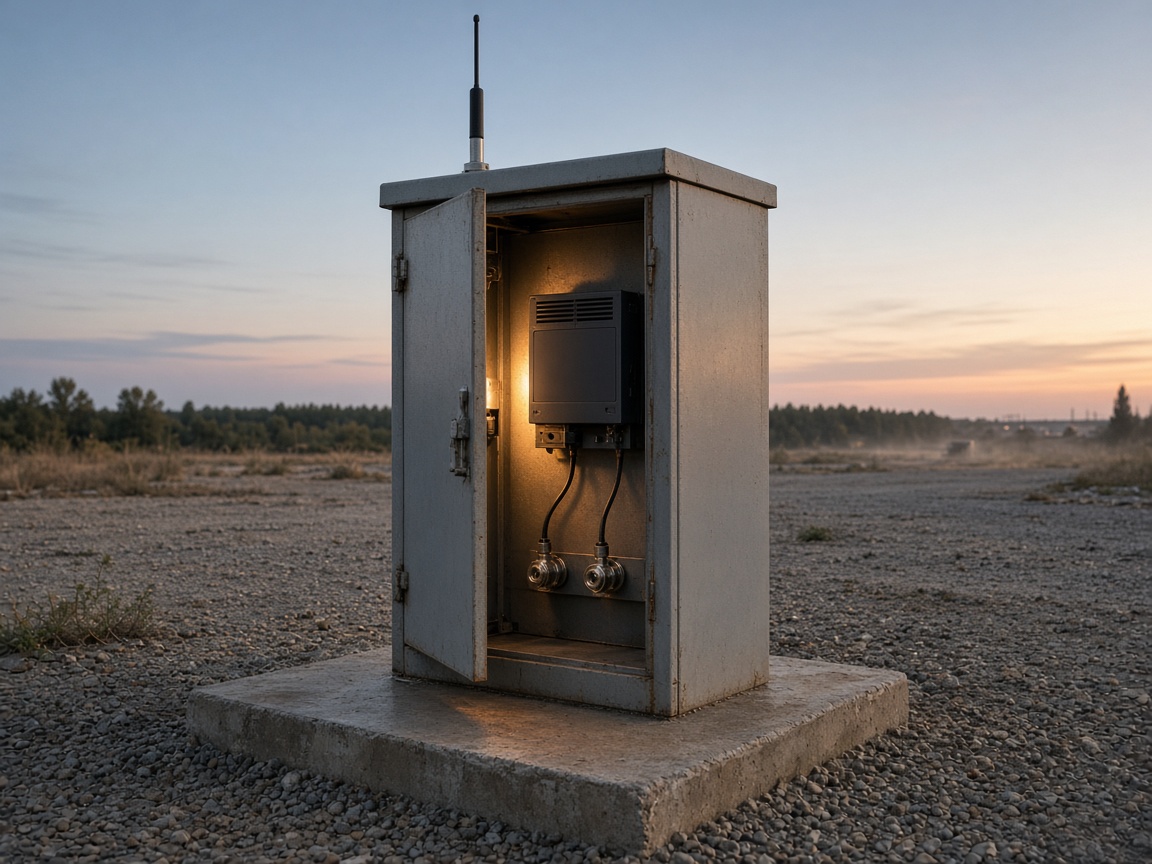
Survey at the cabinet, pad, or pole, not the parking lot. A phone showing four bars in the parking lot does not prove the cabinet has a usable uplink. Metal enclosures are the quiet killer. A device that works on the bench can lose a lot inside a steel cabinet; 15 dB is one plausible site finding, not a fixed loss. For LTE, the RSRP range commonly cited runs from roughly -44 dBm in strong signal to around -140 dBm in weak signal, but treat those as reference bounds, not a contract. The only number that matters is the reading where the radio will actually live.
Terrain and tree line can make a distant tower a hard ceiling. A basalt ridgeline or a thick stand of cedar between the pad and the sector is not fixed by a more expensive router. If the signal cannot reach the cabinet with an honest antenna plan, the site fails, and no SKU changes that.
Unattended directional antennas will not be re-aimed. Once the cabinet closes and the crew leaves, a Yagi or panel aimed at a sector stays where it is. If tree growth or tower changes shift the path, nobody will spend the truck roll to re-aim it. Choose an omni with usable gain, or a fixed directional aim you can lock, or admit the site fails as designed. An industrial router antenna outdoor plan is part of the bill of materials, not a post-installation accessory. For directional MIMO setups, the antenna pair often wants deliberate offset angles; a nominal starting reference is 45 and 135 degrees on the horizontal, but the site reading beats the geometry. If the datasheet assumes alignment that no one will maintain, it is the wrong antenna class.
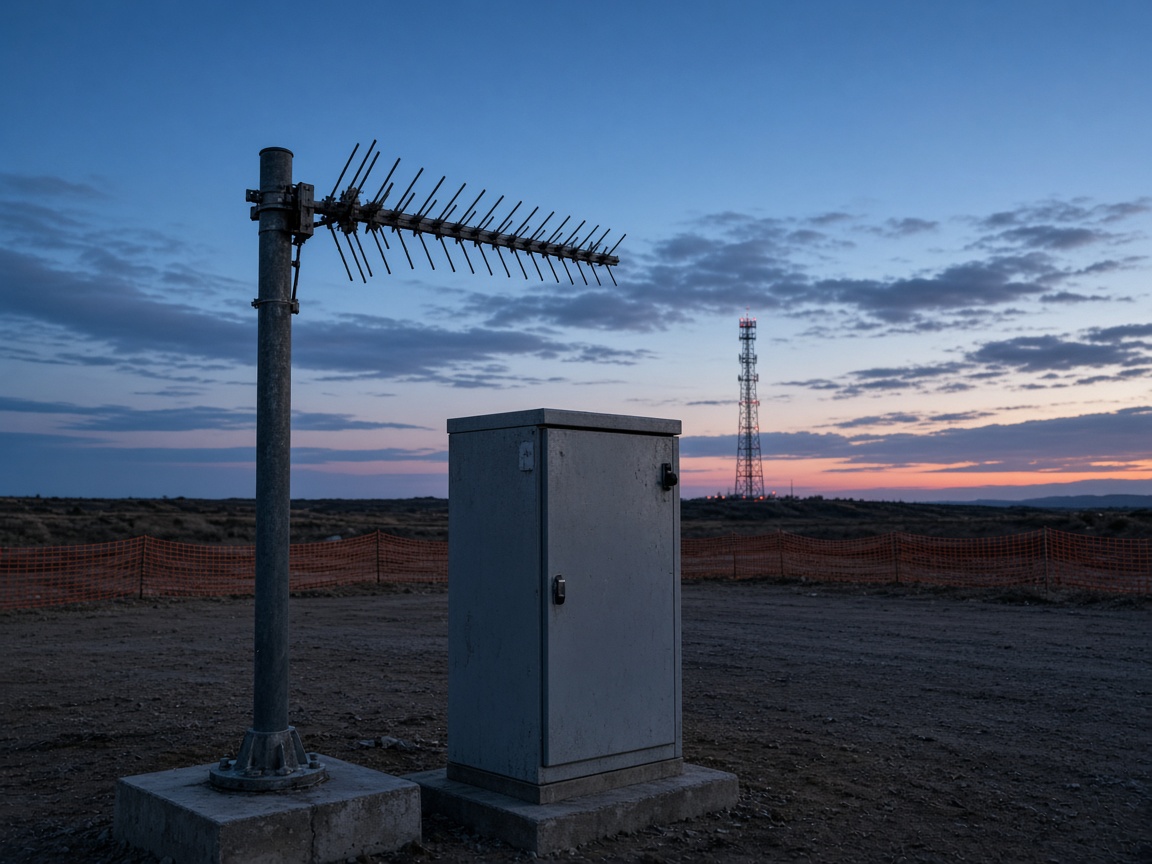
External MIMO or directional antenna is BOM, not accessory. If the cabinet blocks signal, the antenna bulkhead, pigtail, grounding, and mounting belong on the purchase order before the cabinet closes. Specify the bulkhead connector type and cable length before the cabinet closes; an N versus SMA choice, or a pigtail that will not reach the entry point, becomes a field delay. Ordering the router without the outdoor antenna line is ordering half a radio.
Manual APN when the tray says data disconnected with a live SIM. Field routers often ship with auto-APN that guesses wrong on industrial SIMs. The tray says data disconnected, the SIM is active, and the fix is a manually entered APN from the carrier guide. This is the first triage step, not a hardware swap.
Uplink math separates a camera backhaul job from a PLC telemetry job. Theoretical Cat 4 uplink is not a 16-camera design. Cameras stream continuous uplink; PLC registers send small periodic bursts. A cellular plan sized for telemetry will collapse when someone expects camera-grade backhaul through the same radio. Label the uplink job, then size the plan and radio class together. A 5G icon on a bench unit is not proof the pad has the same uplink; the 5G speed-test results in major US cities show why bench screens and site radios tell different stories.
Checkpoint: You have a site survey note with signal where the device lives, an antenna decision, an APN check, and an uplink budget that matches the actual payload class.
Step 4: SIM, eSIM, and Carrier Class
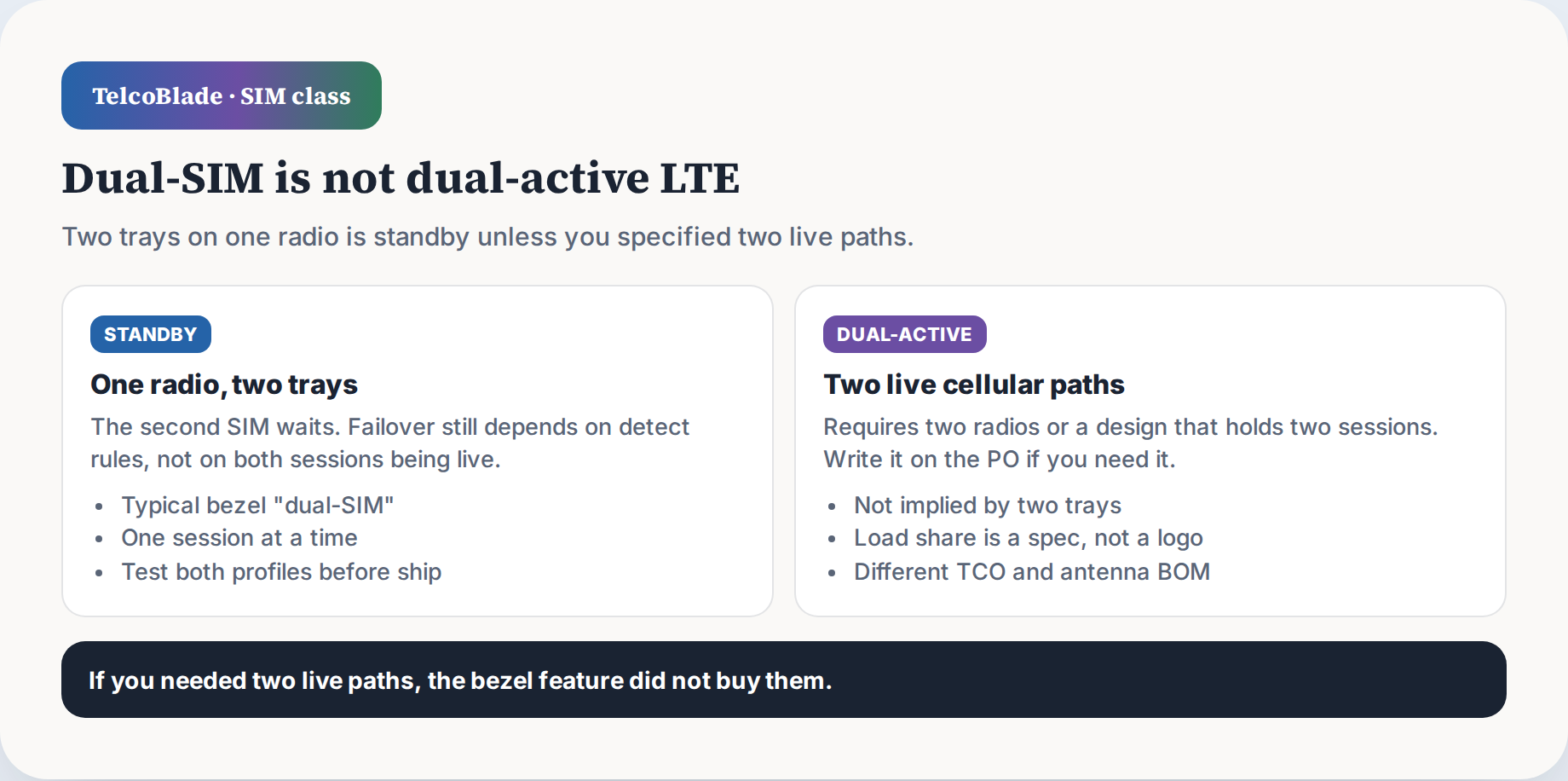
Dual-SIM is not dual-active. One radio and two trays means standby, not two live paths. The second SIM is a fallback, not a bonded second connection. Unless you specified two live radio paths with active load sharing, the bezel feature is standby only. A dual sim failover industrial router still fails over on detection rules, not on the second SIM being live at the same time.
“Global LTE” is a trap. It means the module supports some set of bands. It does not mean every carrier in every country still operates those bands. Before standardizing hardware across sites, check bands plus carrier 2G and 3G shutdowns in each country. A router that works in one region may find its fallback bands gone in another. The 2G and 3G sunset dates matter because older bands were the fallback when LTE failed.
Test both eSIM profiles before the box ships. A soldered eSIM with one profile active and one profile still unproven is not a deployment-ready router. Validate that both profiles can register and pass data at a test site before the box leaves the warehouse. Backfilling profile issues after install is an operational headache.
Provisioned eSIM on a new unit is not automatic DOA. The chip is inert until a carrier profile is loaded, the correct APN is configured, and the device is told to use the profile. The most common reason a new eSIM shows connected but no data is APN misconfiguration, not hardware failure. Do not RMA a unit on that alone. The industrial esim router deployment pattern is to bake APN and roaming settings into the device image before shipping, so field technicians do not hand-enter provider-specific gateway strings.
Private APN, carrier VPN, or LAN registration is one reachability problem. CGNAT phone-home overlay is another. A private APN gives the SIM a path inside the carrier network. That is not the same as whether the plant can reach the router through carrier-grade NAT over the public internet. Many cellular plans sit behind CGNAT with no public inbound IPv4. The fix is an outbound phone-home tunnel from the router to a known endpoint. Split these into two reachability questions, not one “private networking” checkbox.
Checkpoint: You have a SIM and eSIM test card, an APN confirmation method, a regional band and sunset check, and a clear split between carrier network reachability and CGNAT overlay reachability.
Step 5: Failover Semantics
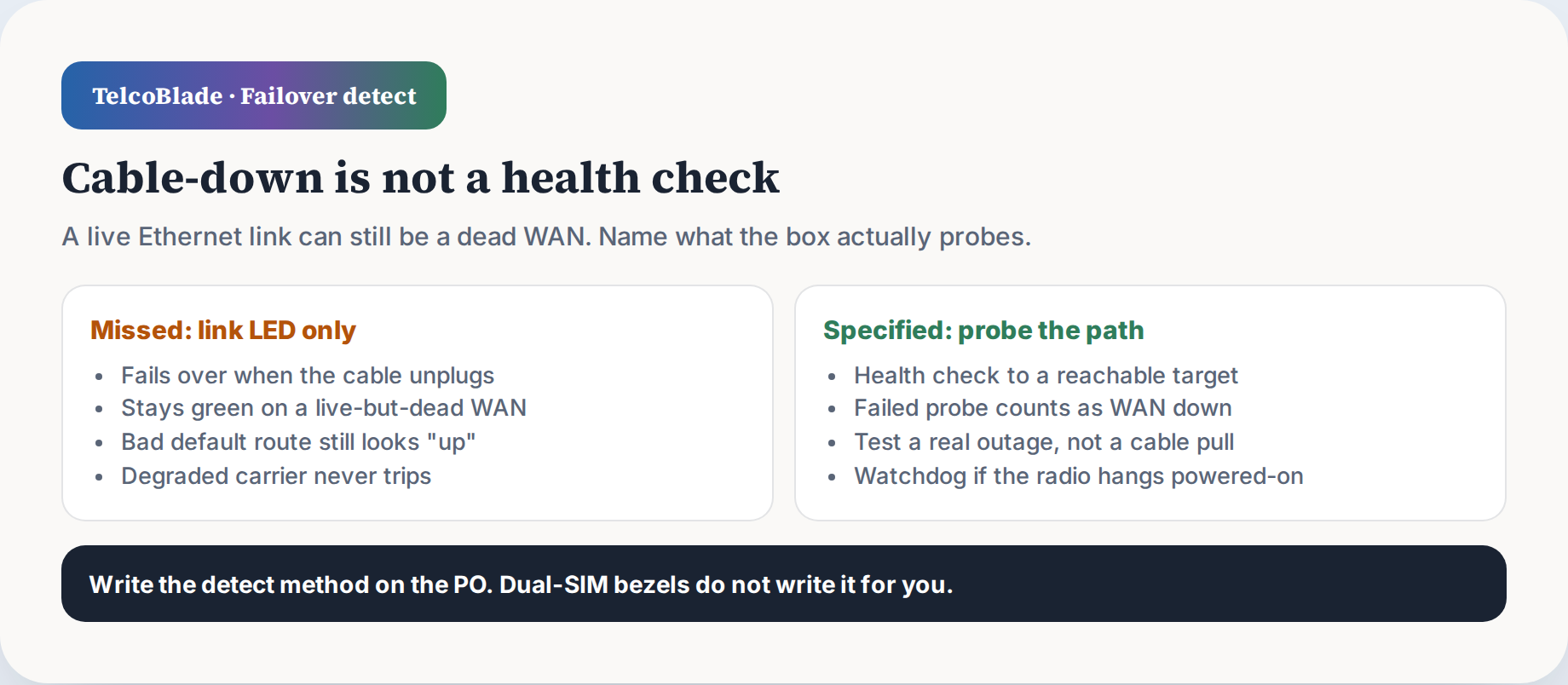
Failover that only sees Ethernet cable-down misses a live-but-dead WAN. The most dangerous failure is not a disconnected cable. It is a link that stays up but stops passing production traffic. That happens with a bad default route, a failed probe, a degraded carrier link, or a VPN that keeps flapping. A router that only fails over on physical link loss will sit there green while the site is dark. Before I trust a failover design, the detection method must include health probes against an actual reachable target, not just carrier status.
Always-on cellular VPN versus bring-the-tunnel-up-on-failure is an explicit choice. An always-on tunnel holds the VPN session open across the cellular path, so failover is only as good as the tunnel rejoin. A bring-up-on-failure design builds the tunnel only when the primary WAN drops, which reduces idle data usage but adds rejoin time during an outage. Pick one and test it against a real outage, not a simulated cable pull.
Cellular as backup behind a multi-WAN box is not the same as an all-in-one LTE router. Behind a multi-WAN box, the cellular modem is a WAN interface, and the box owns the failover logic. An all-in-one LTE router owns both WAN and LAN plus the radio. The architecture label changes which device is the source of truth for failover, and where the watchdog lives. Name the architecture before you blame a hung radio.
Watchdog and remote power-cycle cover hung radios. Firmware gremlins will stall a cellular module that still looks powered. A hardware watchdog that can reboot the radio, or a remote power-cycle path through a managed relay, is the recovery layer. Without it, every hung radio is a truck roll.
If an operator is reading a 5G icon as site throughput, that is a different problem. The 5G icon is a marketing bucket, not an uplink contract, and the real-world performance literacy is worth a separate read before trusting any bench screenshot at the pad.
Checkpoint: You have a failover detection spec that includes live-but-dead probing, an always-on or bring-up VPN decision, a label for the WAN architecture, and a watchdog or power-cycle recovery path.
Step 6: Remote Access Architecture
No public IP and no port-forward to the PLC is the default. Inbound port-forward to a control device is how unapproved boxes get yanked by plant IT. The default remote path should be outbound, initiated by the router, through an overlay or VPN endpoint the plant controls. If a vendor asks for a public IP and a port-forward to the PLC, veto the design.
PROFINET and TIA discovery is Layer 2, so a routed L3 IP VPN will not discover devices. PROFINET DCP uses Layer 2 frames. TIA Portal searches the local network segment for devices. A routed VPN that carries IP packets will not propagate that discovery. If the engineering workflow requires TIA or PROFINET discovery to see devices on the plant floor, you need a Layer 2 path or an on-site jump box. No amount of L3 policy fixes that.
The same logic applies to PLC downloads. A cellular link can drop mid-flash, and a failed download can brick a controller or leave it in a bad state. A local jump box or engineering PC on the control LAN performs the download locally, so the brittle step does not ride a flapping cellular path. Remote access is for monitoring and command, not for flashing over a weak uplink.
Isolate the local control LAN from general internet while the remote VPN is up. The VPN should not turn the PLC network into a general-purpose internet segment. Separate the control LAN from any guest or camera Wi-Fi, and enforce that the VPN only reaches approved management subnets. Event-driven publish is the data plan friend. A continuous monitor streaming every register burns through a shared data bucket, while event-driven publish sends only changes and alarms. Decide the data plan mode before the first month bill arrives.
Consistent private IP scheme across sites keeps remote access boring. Pre-plan the same RFC1918 subnets, gateway addresses, loopback conventions, and DHCP ranges so phone-home overlays, config templates, and failover routes stay predictable. A one-off addressing plan becomes a special snowflake on every pad.
Customer key-switch or maintenance lockout is not optional. The plant needs a physical way to kill vendor access without ripping the DIN rail. A keyed switch, maintenance lockout relay, or approved disconnect on the remote power line gives the customer control. If the only off switch is “unplug the router,” that is a weak design.
Screen-share is not unattended support. A vendor asking for a screen-share on a remote desktop is not the same as unattended router management. Unattended support needs a managed overlay, audit, and a customer-controlled kill. Plant IT and customer DMZ approval should happen before the PO, not after the box is found on the floor.
Checkpoint: You have a remote access architecture with no public IP or PLC port-forward, an L2 or jump-box path for discovery and downloads, VLAN isolation, a customer lockout, and a data plan mode.
Step 7: Fleet, Firmware, Cabinet, Ownership
Firmware validation before rollout is non-negotiable. Auto-reboot and session-rejoin bugs ship in industrial firmware images. A router that works on the bench can develop a five-minute rejoin loop after an update when running under real load. Validate one firmware version across representative sites before the fleet follows. A canary group of routers across different signal conditions catches what a lab bench misses.
Remote-management cloud is an ownership question. Config templates, approval chains, and RMA history live in the cloud. Who owns that account when the integrator leaves? Who holds the keys and the billing? Write that down before the first router registers. A white-label vendor may resell the same radio with a different cloud TCO. Same hardware, different management stack, different long-term cost. Compare the cloud path, not just the radio.
Sealed outdoor cabinets change everything. Bench-OK dies after close-up. Heat rises, PoE budget shrinks, and bulkhead connectors limit what you can add later. Size thermal and power for the sealed cabinet at the hottest month, not the air-conditioned lab. A router that survives on the bench may overheat inside a south-facing enclosure.
Consistent private IP scheme across sites keeps procedures copy-paste. If every site uses a different LAN addressing plan, every troubleshooting run becomes a bespoke exercise. Use the same private IP scheme everywhere so a field tech can apply one procedure to fifty pads.
Spare Ethernet and serial headroom matters. A router with exactly the port count you need today has no room for the next sensor, camera, or console. Leave at least one spare Ethernet and one serial path for commissioning and recovery.
Checkpoint: You have a firmware validation plan, a cloud ownership decision, cabinet thermal and PoE budget, a repeatable IP scheme, and spare port headroom.
One-Sitting Fit-Test Checklist
- WAN job labeled: portable, panel, primary, backup, or OOB.
- Router versus gateway class confirmed.
- Signal surveyed at the cabinet, not the parking lot, with RSRP or equivalent.
- Antenna type and mounting chosen for the site, not the benchtop.
- APN manually confirmed for both primary and fallback SIMs or profiles.
- Both eSIM profiles tested before shipping.
- Failover detection includes live-but-dead probe, not only cable-down.
- Remote architecture has no public IP or PLC port-forward.
- L2 path or on-site jump box present for discovery and downloads.
- Customer key-switch or lockout on vendor remote power.
- Firmware validated on a canary group before fleet rollout.
- Cabinet thermal, PoE, and ownership decisions recorded.
Quick triage while you are still on site: a tray saying data disconnected with a live SIM means verify the manual APN before an RMA. A link that is up while production dies means the failover probe is probably watching cable-down, not a live health check. VPN up but TIA or PROFINET discovery finds nothing means Layer 2 gap; use an L2 path or a jump box. PLC download drops mid-flash means stop flashing over cellular; run it locally. eSIM shows no data and support says DOA means check APN and profile state first.
The physical layer keeps inventing new ways to fail. Label the job, then buy for the labeled path.